

































Accurate, fast and secure email verification service
Verify email lists instantly — reduce bounces, clean data, and protect your sender reputation.
Ask AI about Email Awesome





© 2026 Email Awesome. All rights reserved.


Email Awesome verifies emails in bulk and by API, then helps protect sender reputation with the Warm-up Tool. Start with 1,000 successful verifications every month.
Or test a single address with our Email Verifier
Lower Bounce-rate
Protect Domain Reputation

Unlike others, you won't be charged for unknown results.

We spot catch-all mailboxes where others fail.

Use API, upload CSV or one-shot verification.

We trim spaces, convert domains to lowercase and punycode, and reject malformed addresses, like missing @ symbols or invalid TLDs and other frequent mistakes.

Our system compares domains against popular providers (like gmail.com and outlook.com) to spot and fix subtle errors.

We block throwaway emails
We check addresses against an always-updated disposable email list and flag suspicious domains, like newly registered or “temp mail” providers.

Our system looks up mail server (MX) records and tests connections to ensure the domain can accept messages.

We identify domains that accept any email address (even fake ones), so you can avoid risky sends and hard bounces.
%201.svg)
4.5
1,000 free monthly validations

Successful verifications
Successful verifications
Successful verifications
Successful verifications
Successful verifications
Successful verifications
Explore the most popular ways users grow, monitor, and protect their operations.
The type of company or email workflow you run.
Email Awesome use case that fits.
If your team is
Running cold outbound campaigns
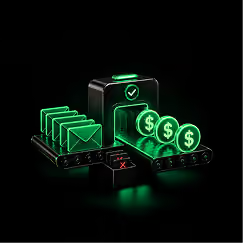
Cold Sales
Built for SDR teams cleaning prospect lists before cold email
If your product is
Validating emails inside forms, CRMs or webhooks

Email Validation API
Built for API workflows, webhooks, and continuous verification
If your company is
Ramping a new domain or inbox
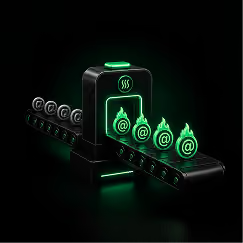
Email Warm Up
Built for Delivery Optimizer, sender reputation, and inbox placement
If your company is
Booking meetings through outreach
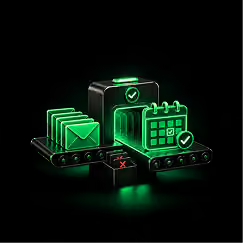
Appointment Setter
Built to protect appointment setting lists before outreach
If your team is
Cleaning a CVS, TXT, or old database
Bulk Email Verifier
Built for CSV/TXT cleaning, database hygiene, and batch processing
If your team is
Checking one contact at a time
Email Verification
Built for one-off checks, list hygiene, and daily validation
The type of company or email workflow you run.
Email Aewsome use case that fits
If your team is
Outbound Sales Team
Cold Sales
Built for SDR teams cleaning prospect lists before cold email
If your team is
Product signup or CRM flow
Email ValiDation API
Built for API workflows, webhooks, and continuous verification
If your team is
New domain or inbox ramp
Email Warm Up
Built for Delivery Optimizer, sender reputation, and inbox placement
If your team is
Lead Gen Agency booking meetings
Appointment Setter
Built to protect appointment setting lists before outreach
If your team is
Marketing Database Cleanup
Bulk Email Verifier
Built for CSV/TXT cleaning, database hygiene, and batch processing
If your team is
Marketing Database Cleanup
Email Verification
Built for one-off checks, list hygiene, and daily validation
Choose your sending volume, connect you inboxes, and start building a more consistent sending pattern.
Connect Email Awesome with Zapier to clean new leads from forms, spreadsheets, CRMs, Airtable bases, campaign lists and file workflows automatically.


I run an e-commerce store, and my abandoned cart email list was full of typos from people rushing at checkout. EmailAwesome cleaned it up perfectly, and I was able to recover sales from customers I would have otherwise lost.

Sophia Bennett
Whoa! I didn't realize how much junk was on my list. Seriously, this thing is a lifesaver. My open rates are already looking better. So glad I found it!

Danny P
Our domain's sender score was taking a hit due to bounces. EmailAwesome was instrumental in cleaning our master list. The platform's precision in identifying invalid addresses has directly improved our deliverability metrics across all campaigns.

Eleanor Vance
The value proposition is unbeatable. Not charging for 'unknown' results is an honest business practice that sets EmailAwesome apart. It provides cost certainty for our marketing budget.

Marcus Thorne
As a founder pitching to investors, the last thing I need is for an important email to bounce. I used this to validate my list of VC and angel contacts. It gave me the peace of mind that my outreach was actually reaching them.

Amelia Chen
That free monthly plan is legit awesome. For my little side hustle, it's perfect. I get to keep my list clean and it costs me nothing. You guys rock!

Mikey G.
We cross-referenced EmailAwesome's results with another leading validator, and the accuracy, especially on catch-all domains, was superior. It's a reliable and effective tool for any serious email marketer.

Isabelle Rossi
My biggest asset is my newsletter list from my blog. I used EmailAwesome to do a deep clean and was shocked at how many disposable emails from sign-up bots it found. My list is smaller but my engagement is way higher now.

Oscar Wallace
The user interface is incredibly intuitive. I was able to upload, process, and download a cleaned list of over 20,000 contacts in under 10 minutes with zero friction. The process is seamless.

Priya Sharma
Finally! A tool that just works. No complicated settings, no confusing pricing. Uploaded my list and got it back clean. My bounce notifications have gone silent. YES!

Jenna Fitz
In the recruiting world, time is money. Validating candidate lists with EmailAwesome ensures our outreach for open positions is efficient and professional, reducing bounced emails and administrative overhead.

Brian O'Connell

The 1,000 free monthly credits are perfect for routine list hygiene for our small agency. It allows us to offer list cleaning as a value-add to our clients without incurring extra costs.

Chloe Davis
After our virtual summit, we had a list of 5,000+ attendees to follow up with. Running it through EmailAwesome first was the best decision. It caught all the temporary emails and typos, ensuring our thank-you emails and sponsor messages were delivered.

Alex B.
Our B2B sales team relies on cold outreach. Using EmailAwesome to scrub our prospect lists first has led to a 15% increase in connection rates and fewer complaints to our email provider.

Samuel Jones
After our virtual summit, we had a list of 5,000+ attendees to follow up with. Running it through EmailAwesome first was the best decision. It caught all the temporary emails and typos, ensuring our thank-you emails and sponsor messages were delivered.
Alex B.
As a founder pitching to investors, the last thing I need is for an important email to bounce. I used this to validate my list of VC and angel contacts. It gave me the peace of mind that my outreach was actually reaching them.
Amelia Chen
In the recruiting world, time is money. Validating candidate lists with EmailAwesome ensures our outreach for open positions is efficient and professional, reducing bounced emails and administrative overhead.
Brian O'Connell
The 1,000 free monthly credits are perfect for routine list hygiene for our small agency. It allows us to offer list cleaning as a value-add to our clients without incurring extra costs.
Chloe Davis
Whoa! I didn't realize how much junk was on my list. Seriously, this thing is a lifesaver. My open rates are already looking better. So glad I found it!
Danny P
Our domain's sender score was taking a hit due to bounces. EmailAwesome was instrumental in cleaning our master list. The platform's precision in identifying invalid addresses has directly improved our deliverability metrics across all campaigns.
Eleanor Vance
We cross-referenced EmailAwesome's results with another leading validator, and the accuracy, especially on catch-all domains, was superior. It's a reliable and effective tool for any serious email marketer.
Isabelle Rossi
Finally! A tool that just works. No complicated settings, no confusing pricing. Uploaded my list and got it back clean. My bounce notifications have gone silent. YES!
Jenna Fitz
The value proposition is unbeatable. Not charging for 'unknown' results is an honest business practice that sets EmailAwesome apart. It provides cost certainty for our marketing budget.
Marcus Thorne
That free monthly plan is legit awesome. For my little side hustle, it's perfect. I get to keep my list clean and it costs me nothing. You guys rock!
Mikey G.
My biggest asset is my newsletter list from my blog. I used EmailAwesome to do a deep clean and was shocked at how many disposable emails from sign-up bots it found. My list is smaller but my engagement is way higher now.
Oscar Wallace
The user interface is incredibly intuitive. I was able to upload, process, and download a cleaned list of over 20,000 contacts in under 10 minutes with zero friction. The process is seamless.
Priya Sharma
Our B2B sales team relies on cold outreach. Using EmailAwesome to scrub our prospect lists first has led to a 15% increase in connection rates and fewer complaints to our email provider.
Samuel Jones
I run an e-commerce store, and my abandoned cart email list was full of typos from people rushing at checkout. EmailAwesome cleaned it up perfectly, and I was able to recover sales from customers I would have otherwise lost.
Sophia Bennett
Check the most Frequently Asked Questions
What should I do with unknown or catch-all results?
Is there a free email verifier with no credit card required?
What is an acceptable email bounce rate?
What does "Unknown" mean in email verification results?
Does email verification guarantee 100% deliverability?
How often should I verify my email list?
Why can't I just use Excel to clean my email list?
Is it secure to upload my customer data to a bulk validator?
What are the new Google and Yahoo email sender requirements?
Is Email Awesome compliant with data privacy regulations?
Accurate, fast and secure email verification service
Verify email lists instantly — reduce bounces, clean data, and protect your sender reputation.
Ask AI about Email Awesome