

Accurate, fast and secure email verification service
Verify email lists instantly — reduce bounces, clean data, and protect your sender reputation.
Ask AI about Email Awesome





© 2026 Email Awesome. All rights reserved.

Bulk Verification
Upload a CSV and get a status for every address: Valid, Invalid, Catch all, or Unknown. You'll know what to send, what to suppress and what to review before anything leaves your outbox.

Most list problems do not look dramatic inside a spreadsheet. They show up later as bounces, messy segments, wasted sends, and teams wondering why a campaign underperformed.
A raw export can make a team feel ready because the file looks full. Under the surface it mixes active buyers with stale roles, old jobs, throwaway signups, invalid domains, duplicates and unresolved catch-all rows. The campaign starts with volume, but not clarity.
The same file becomes clear result groups before the send. Teams see which rows are Valid, Invalid, Catch all, or Unknown, then decide what moves forward, what gets suppressed and what needs review, instead of treating the whole CSV as one equally safe audience.
Single Verification
Check an individual address before you send a message, create a contact, update your CRM or move a lead into the next step.
Review syntax, domain and mail signals before the address enters an important workflow.
Receive Valid, Invalid, Catch all or Unknown.
Keep the contact moving, correct it, remove it or send it to review.
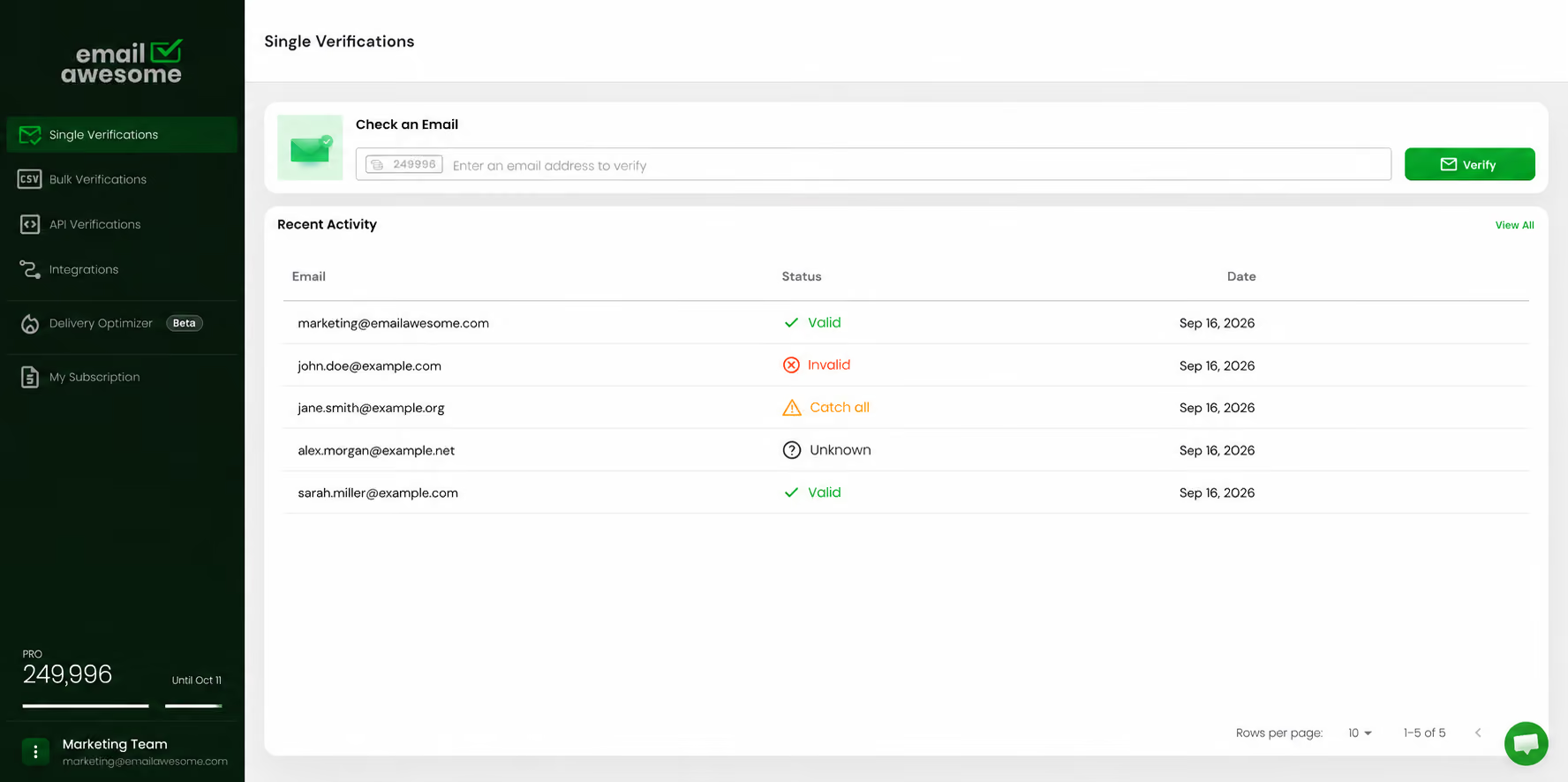
Every file comes back split into these groups. Each one calls for a different action.
Status
What it means
Typical handling
Valid
The mailbox exists and the server accepted it.
Send. This is your clean segment.
Invalid
The address doesn't exist or the domain can't receive mail.
Suppress. Sending here is what causes hard bounces.
Catch all
The domain accepts mail for any address, so the mailbox can't be confirmed.
Segment separately. Test in small batches on low-risk campaigns.
Unknown
The server gave no definitive answer: greylisting, rate limiting or anti-probing.
Hold for review. These never cost you a credit.
Bulk cleaning is not just a pre-send chore. It is the moment a team decides which contacts deserve volume, which should be removed, and which need a cautious test before launch.
Add the CSV or TXT list you want to verify, whether it came from a CRM export, newsletter database, event list or outbound prospect source.
See how the file separates into Valid, Invalid, Catch all, and Unknown before the campaign or import goes live.
Move valid contacts forward, suppress clear invalids, and route uncertain contacts into a review or lower-risk sending path.
Clean exported files from CRMs, lead databases, event lists, newsletters or partner sources without checking every address one by one.
Separate Valid, Invalid, Catch all, and Unknown contacts so each group gets the right treatment instead of one risky bulk decision.
Bring cleaner segments back into campaign, CRM or agency workflows with less manual cleanup and clearer list-quality reporting.
What goes in, what comes out, and what happens to your data.
Going in
Forms, CRMs, spreadsheets and file drops: anything already running in your stack.
Detected automatically
30–45 minutes for 100,000 rows
Coming out
Valid, Invalid, Catch all, Unknown
Detected and flagged in the output
Never charged. 0 credits
Your data
Encrypted
Used for verification only
Never sold, shared or resold as data
Bounce rate used to be a soft metric. Gmail now permanently rejects senders that cross a 2% hard-bounce rate, and Microsoft enforces the same limit. That turns list hygiene from good practice into a condition for reaching the inbox at all.
2
%
Hard-bounce ceiling at Gmail and Microsoft
20–30
%
Annual decay of an untouched B2B list
90
days
After which a list is worth re-verifying
FAQs
How often should I verify my email list?
How long does it take to clean a CSV with 100,000 emails?
Why can't I just use Excel to clean my email list?
Is it secure to upload my customer data to a bulk validator?
What formats do you accept for bulk uploads?
USE CASE
Check whether an email address is properly formatted, connected to a working domain, and safer to contact before you send or store it.
01
Enter the email address you want to verify
02
Receive a Valid, Invalid, Catch all or Unknown result
03
Decide whether to send, suppress or review the address
Best for:
Checking one contact at a time
Accurate, fast and secure email verification service
Verify email lists instantly — reduce bounces, clean data, and protect your sender reputation.
Ask AI about Email Awesome