
Bulk email verification.
Better contact data.
Verify a single email or a bulk list.
Keep verified contacts organized and build better contact data in one place.
Ask AI about EmailAwesome





© 2026 EmailAwesome. All rights reserved.


A list alone does not tell an appointment setter who to approach, which questions to ask, or what makes a meeting worth accepting. Prepare those decisions before the first touch.
A list without a handoff
An unchecked list and a generic script leave reps to interpret the offer, resolve uncertain addresses, and guess which meetings the client will accept. Different assumptions lead to inconsistent outreach and unclear reporting.
A brief ready for review
Verify addresses with EmailAwesome, then combine the results with the client's offer, exclusions, qualification questions, and meeting acceptance criteria. Keep contact status separate from commercial fit, and record unresolved decisions before the team starts outreach.
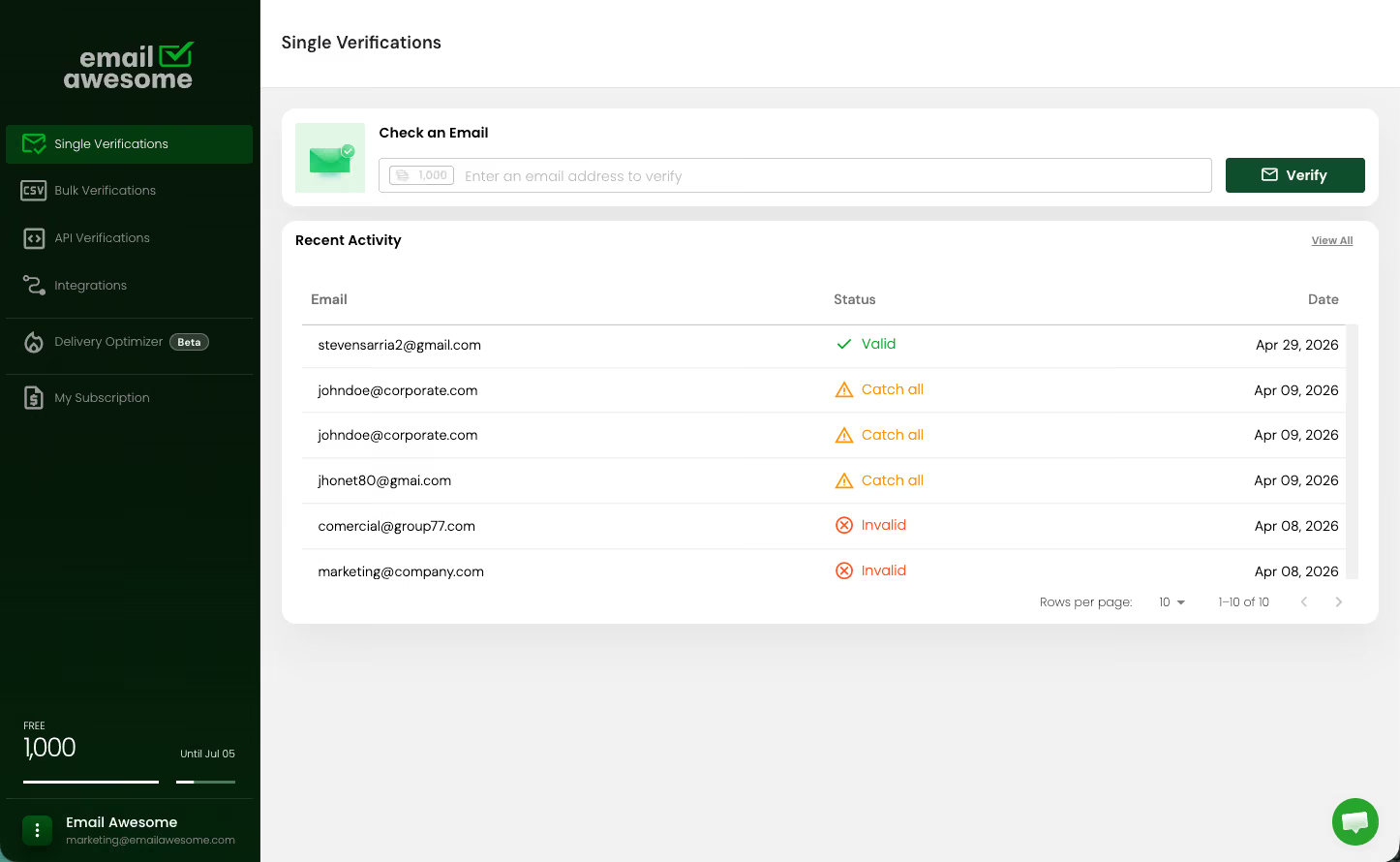

Preserve source records and verify the authorized email addresses. Keep INVALID contacts out of the proposed sending list and separate CATCH_ALL and UNKNOWN results for review.
Use the client's brief to define relevant roles, qualification questions, exclusions, and what counts as an accepted meeting. Flag missing information instead of assuming an answer.
Give appointment setters a reviewed contact list, message drafts, follow-up guidance, and an owner for unresolved records. Your team approves outreach and handles booking in its own tools.
Keep each client's inputs and decisions together so the next person can understand what was checked and what still needs approval.
01
Record the offer, target audience, exclusions, qualification questions, and meeting acceptance criteria. Bring a prospect list you are authorized to process.
02
Verify the addresses with EmailAwesome and preserve their original row identifiers. Review VALID, INVALID, CATCH_ALL, and UNKNOWN results without treating email status as proof of fit or permission to contact.
03
Combine the reviewed contacts, draft messages, qualification questions, and open issues into a client-specific brief. Assign an approver before outreach. EmailAwesome does not send sequences or book meetings.
Prepare verified contacts, qualification questions and meeting criteria for each client. Hand your team a clear brief before outreach begins.
TRY A TASK
Copy a complete prompt. Paste it into your AI.
Skill instructions are free. A product account is required, and current usage limits apply. Copying a prompt does not install the skill or authorize payment. Use only your own or authorized data. Email verification does not establish consent or identity, or guarantee inbox placement. Review results before outreach.

4.5
1,000 free monthly validations

Successful verifications
Successful verifications
Successful verifications
Successful verifications
Successful verifications
Successful verifications
Accepted payment methods
Payments processed by Stripe.



The Email Deliverability Playbook
Identify what’s hurting your email deliverability. Review list quality, sender authentication, sending volume, and measurement with practical checklists for your next campaign.

Check the most Frequently Asked Questions
Why should appointment setters verify leads before outreach?
Will verification book more meetings?
What lists should appointment-setting teams verify?
How should agencies explain verification to clients?
Can verification fit into an automated outreach workflow?
Bulk email verification.
Better contact data.
Verify a single email or a bulk list.
Keep verified contacts organized and build better contact data in one place.
Ask AI about EmailAwesome