

Bulk email verification.
Better contact data.
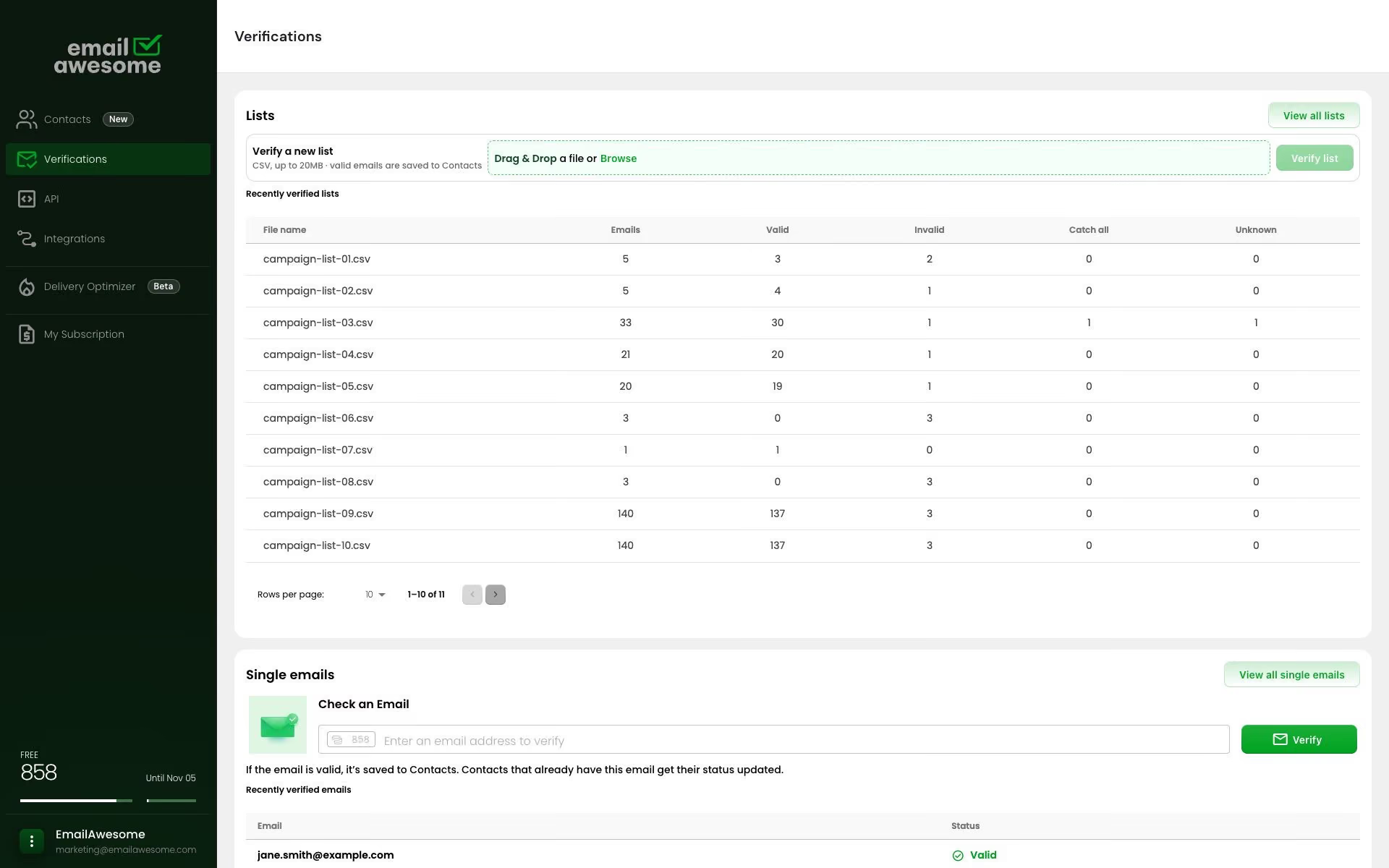
Verify a single email or a bulk list.
Keep verified contacts organized and build better contact data in one place.
Ask AI about EmailAwesome


© 2026 EmailAwesome. All rights reserved.

Route the record only after the check is complete. Pending requests, timeouts and errors belong in a separate review queue—not in the four final results below.
Status
What it means
Typical handling
Valid
The address passed the checks available at the time of verification.
Continue under your data policy. Verification does not establish consent or guarantee delivery.
Invalid
Address doesn't exist or the domain can't receive.
Suppress or flag the address once the check is complete.
Catch all
Domain accepts anything, so the mailbox can't be confirmed.
Keep separate for review; the individual mailbox is not confirmed.
Unknown
No definitive answer, usually greylisting or rate limiting.
Keep for review or a controlled retry. Unknown results are not charged.
Manual cleanup works when the problem is a list. It fails when email data is moving through forms, products, CRMs, enrichment jobs and reports before anyone has time to inspect it.
Bad emails enter through forms, sync into CRMs, trigger automations, reach enrichment jobs and distort reporting. By the time someone notices, the address has touched several systems that now need correction, suppression or manual investigation.
Products, forms, CRM imports and background jobs check the address before it spreads, then use returned statuses to accept, block, flag, segment or review while the data is still close to the source.
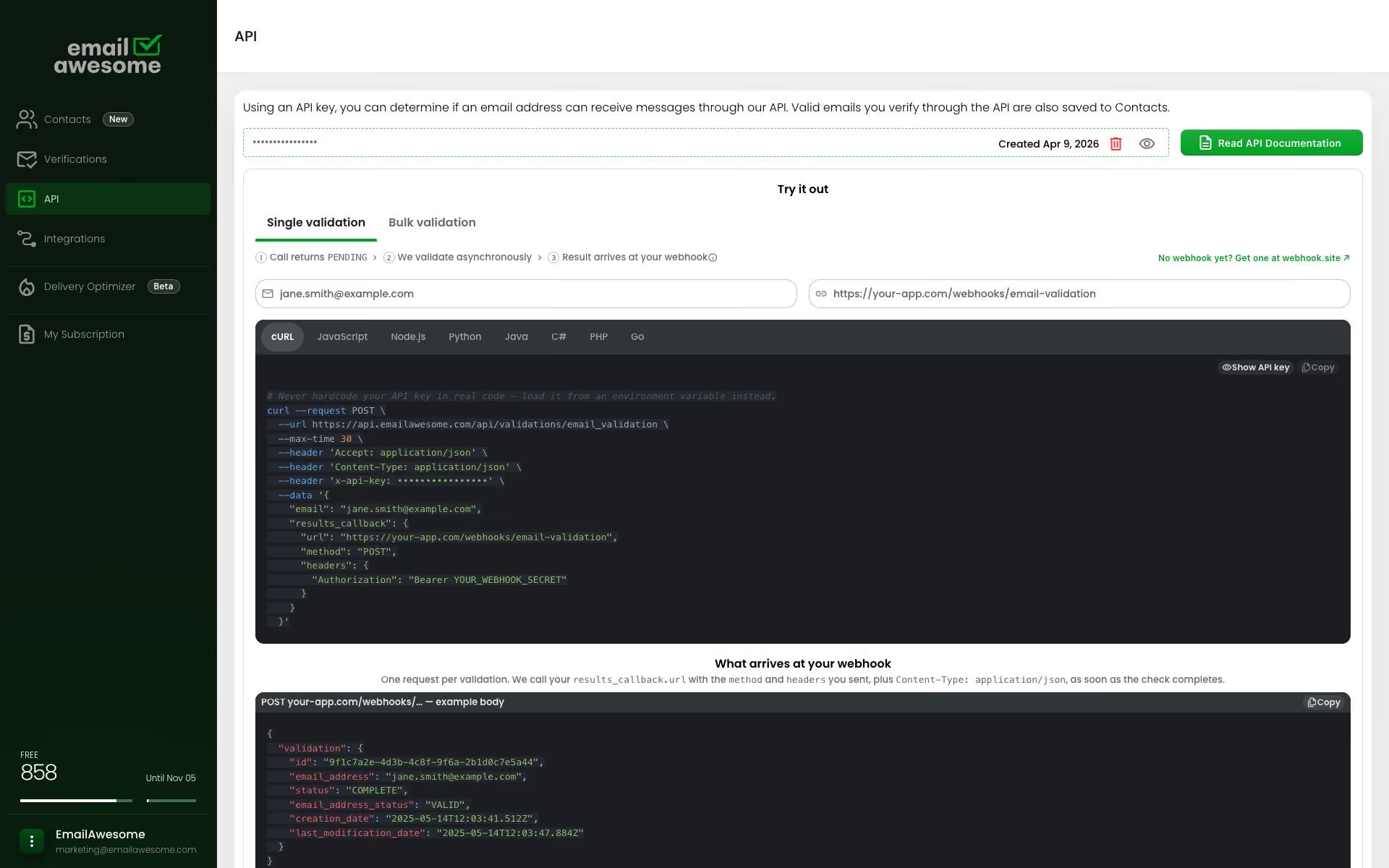
The creation response can be pending. Design your form or background process to wait for a completed check before using the email result.
Zapier
Signup, checkout or any field where a person is waiting for an answer.
A developer, working against the API reference.
In your own code, fast enough to block a form submit.
API
Signup, checkout or any field where a person is waiting for an answer.
A developer, working against the API reference.
In your own code, fast enough to block a form submit.
Submit the check from your server and show a clear pending state. Set a waiting limit and a fallback; do not promise a completed result in the initial response.
Store the verification ID and process the callback, or retrieve the check by ID. Release the record to downstream automation only after completion and your policy checks.
Start verification when an address is submitted. Keep pending checks separate and use the completed result before triggering outreach or other downstream actions.
Check incoming addresses before activating CRM automations. Match each completed result to its source record and keep unresolved checks in a review queue.
Re-verify ageing records on a schedule, so the database doesn't decay quietly between campaigns.
When a lead submits your form, start the check on your server. Link the verification ID to the source record and keep your API key private.
Process the callback or retrieve the check by ID. Set a waiting limit and bounded retries; send failed or unresolved checks to review.
Match the final result to the lead, then apply your routing rules before outreach. Prevent repeated callbacks from creating duplicate records or actions.
Create a validation, keep the record pending, then use the completed result in your workflow.
01 / REQUEST
Send the address and your callback URL from your server. Keep your API key private.
POST /api/validations/email_validation
x-api-key: YOUR_API_KEY
Content-Type: application/json

{
  "email": "user@example.com",
  "results_callback": {
    "url": "https://example.com/webhooks/email-validation",
    "method": "POST"
  }
}
INITIAL RESPONSE / 201 CREATED
{
  "id": "validation_id",
  "status": "PENDING"
}
02 / CALLBACK
When verification completes, match the callback to the record using its validation ID.
{
  "id": "validation_id",
  "status": "COMPLETE",
  "email_address": "user@example.com",
  "email_address_status": "VALID"
}
Read the email result only after processing is COMPLETE. A pending response is not a final verification result.
This example shows VALID. Handle INVALID, CATCH_ALL and UNKNOWN according to your workflow policy.
FAQs
Is the API only for developers?
What statuses should my app expect?
Why use async verification?
Where should developers use the API?
What is an email validation API?
USE CASE
Turn your authorized B2B records into a client delivery your team can explain. Verify addresses with EmailAwesome, then document sources, duplicates, coverage, and records that still need review.
01
Agree on the delivery rules
02
Verify and reconcile the list
03
Prepare the client handoff
Best for:
B2B lead list delivery
Bulk email verification.
Better contact data.
Verify a single email or a bulk list.
Keep verified contacts organized and build better contact data in one place.
Ask AI about EmailAwesome